REVIEW · TORONTO
Toronto: Immersive Virtual Reality Arcade Experience
Book on GetYourGuide →Operated by Levelup Virtual Reality Arcade · Bookable on GetYourGuide
A single hour in VR can feel like a whole night out. Levelup Reality VR Arcade packs 60+ game options into a downtown stop near the Eaton Centre, with staff on hand to get you running fast.
I like that they start with real help and safety guidance, not just a headset handoff. The other big win for me is the range: you can go action, escape-room style, sports, horror, shooters, and more—so mixed groups usually find something that fits. One thing to consider: it’s not for everyone, especially if you have heart problems, motion sickness, or you’re pregnant.
You’ll meet at 661 Yonge Street (down the stairs to the lower level by the Levelup Reality sign). Plan to arrive about 5 minutes early for check-in, then you’ll do a short training and safety briefing before your 50 minutes of gameplay.
If this is your first VR try, you may feel a bit awkward at setup—normal. Once you’re calibrated, the fun clicks into place, but the experience does move fast, so showing up late cuts into your game time.
In This Review
- Key Things To Know Before You Go To Levelup Reality
- Downtown Toronto Location: Easy to Fit Into Your Day at Yonge & Bloor
- Your 1-Hour Plan: What Happens in the 10 Minutes Before You Play
- The 50 Minutes of VR Play: Action, Puzzles, and Multiplayer Moments
- Choosing the Right Game for Your Group (Without Overthinking It)
- Comfort and Safety: Glasses, Contacts, and Motion Limits
- What’s Included for $37 (And How That Adds Up)
- Who This Is Perfect For (And Who Might Feel Out of Place)
- Practical Tips for a Smooth Session
- The Real Reason People Like It: Staff Help That Gets You Playing
- Should You Book Levelup Reality VR Arcade in Toronto?
- FAQ
- What is the duration of the Levelup Reality VR Arcade experience?
- What games can I play during the session?
- Where do I meet for the experience?
- Are glasses compatible with the VR headsets?
- Is the experience suitable for children?
- How many players can use a VR station at once?
- What should I bring with me?
- What is included in the $37 price?
- What is not included?
- What are the main restrictions for participating?
Key Things To Know Before You Go To Levelup Reality
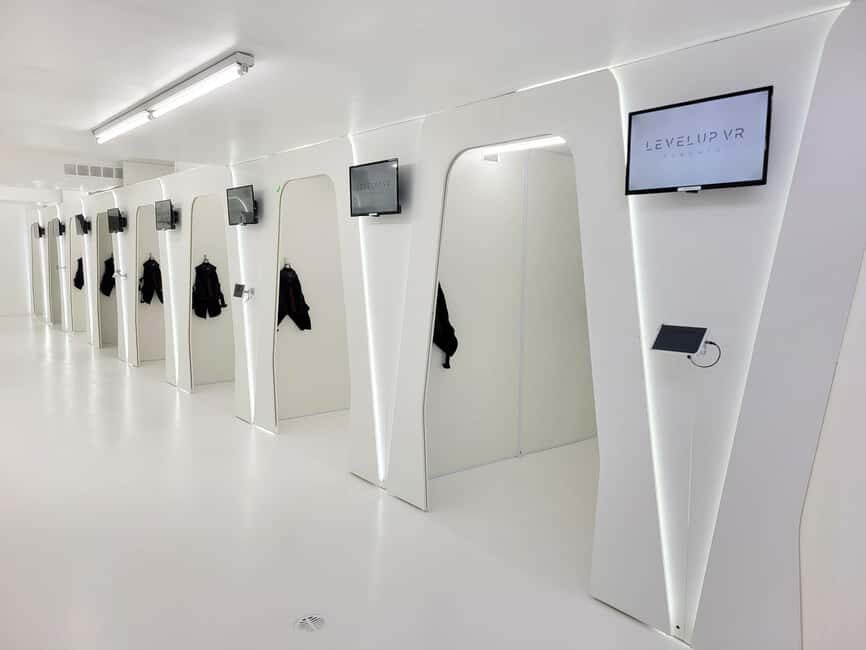
- 60+ VR games across action, adventure, horror, rhythm, sports, and escape-room formats
- 10 minutes of training + 50 minutes gameplay, so the session stays focused
- One player per station at a time, with single or multiplayer game modes depending on the title
- Sanitized headsets and equipment after every use
- Most glasses fit inside the headset; contacts can be more comfortable for larger frames
- Not suitable for some visitors including children under 8, wheelchair users, and people with motion sickness
Downtown Toronto Location: Easy to Fit Into Your Day at Yonge & Bloor
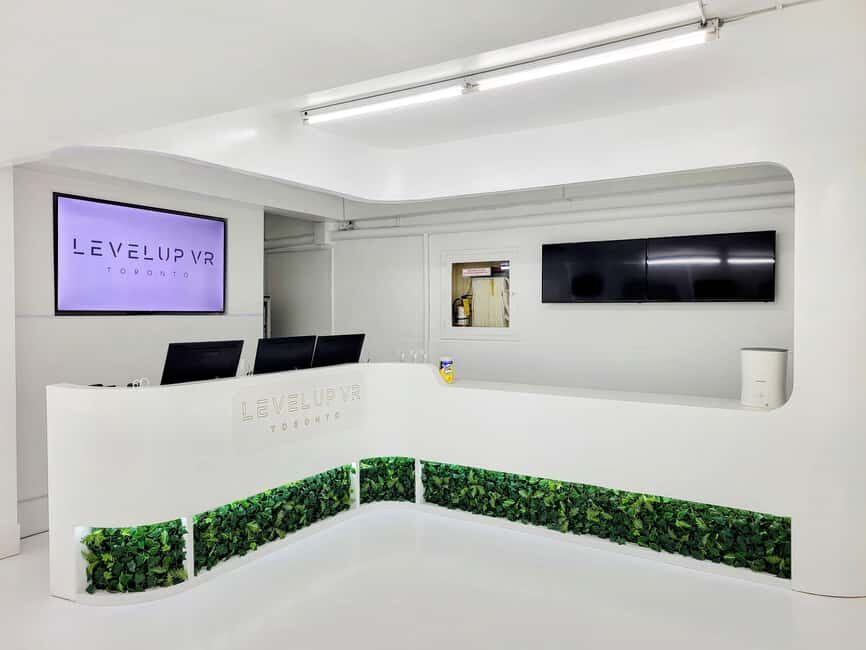
Levelup Reality VR Arcade is at 661 Yonge Street, near the Yonge & Bloor area, by the Canada Post office. It’s an easy add-on when you’re already in central Toronto, and it’s only minutes from the Eaton Centre, which is handy if you want shopping nearby or a quick meal afterward.
Because the session is only 1 hour total, location matters. You don’t want to lose half your time in transit, and this setup is designed for people who want an activity that fits cleanly into a day plan.
When you arrive, you’ll check in at the front desk. From there, you’ll head down to the lower level where you’ll see the Levelup Reality sign—so don’t rush past it.
Other immersive & VR experiences we've reviewed in Toronto


Your 1-Hour Plan: What Happens in the 10 Minutes Before You Play
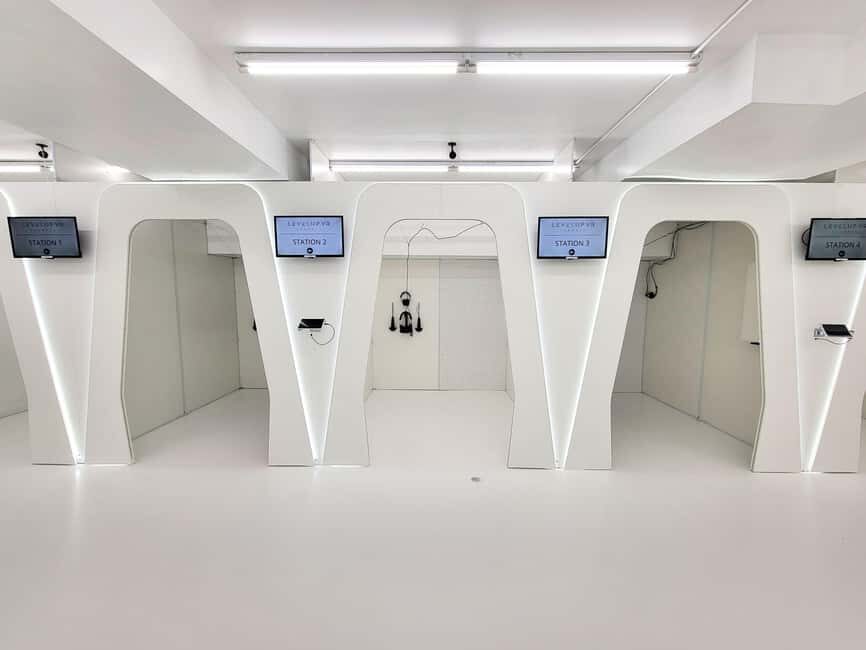
The timeline is simple and tightly managed: you get 10 minutes for setup and training, then 50 minutes of VR gameplay. This is one of the reasons I’d pick this over the “just figure it out” style of VR places.
During the training, you’ll get a safety briefing and guidance from on-site VR staff. The goal is to help you:
- understand how to hold the controllers and move inside the play space
- learn the basics of what you’ll see and what the game expects from your body
- start off with settings that reduce discomfort
For first-timers, that first training period can be the difference between a fun session and a frustrating one. Even if you’re a VR fan, it’s still worth it because each station can feel slightly different, and staff can help you get comfortable quickly.
Practical tip: arrive at least 5 minutes early. That extra buffer helps the staff get you oriented without eating into your gameplay time.
The 50 Minutes of VR Play: Action, Puzzles, and Multiplayer Moments
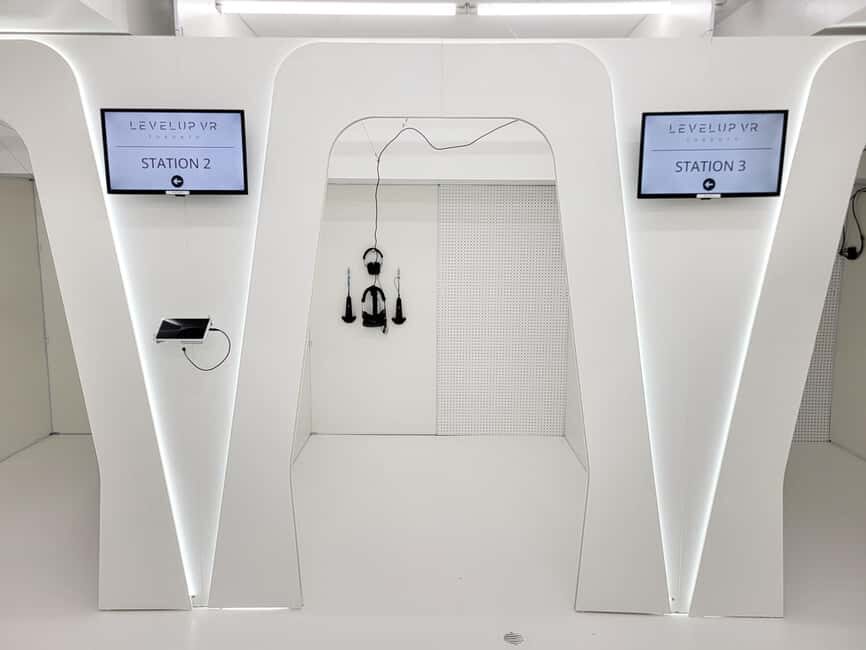
Once your setup is done, you jump into a world—your choice from a menu of 60+ single-player and multiplayer VR games. The range here is impressive in a useful way, not just for show. You can find:
- shooters and action-style games for fast momentum
- escape room experiences that feel more like problem-solving than running around
- sports titles that turn your living-room habits into real competition
- horror options if your group wants that adrenaline edge
- rhythm games if you want something different from shooting and sprinting
In real-world terms, this variety helps groups with mixed tastes. If you’ve got one person who wants puzzles and another who wants action, this place gives enough options that nobody has to “settle.”
What I also like is the way the staff help you match games to your group. VR guides can recommend the best fit based on what you’re looking for and how many people are playing.
Choosing the Right Game for Your Group (Without Overthinking It)
You don’t need to be a VR expert to pick. Think in categories and choose based on energy level and comfort.
Here’s a simple approach:
- If you want low-pressure fun: choose a game type that’s less intense physically and more goal-based (like escape-room style challenges).
- If your group loves competition: go for sports or any multiplayer game mode.
- If you’re chasing intensity: pick a shooter or action title.
- If you want a wild card: try a horror or rhythm option if that fits your group’s vibe.
One useful detail: each VR station is for one player at a time. That doesn’t mean you’re stuck alone—some games are multiplayer—but it does mean you’ll take turns and share the moment as you cycle through stations.
If you’re a group of friends, birthdays, or coworkers, the turn-taking can actually work in your favor. People can watch, react, and swap roles between rounds.
Comfort and Safety: Glasses, Contacts, and Motion Limits
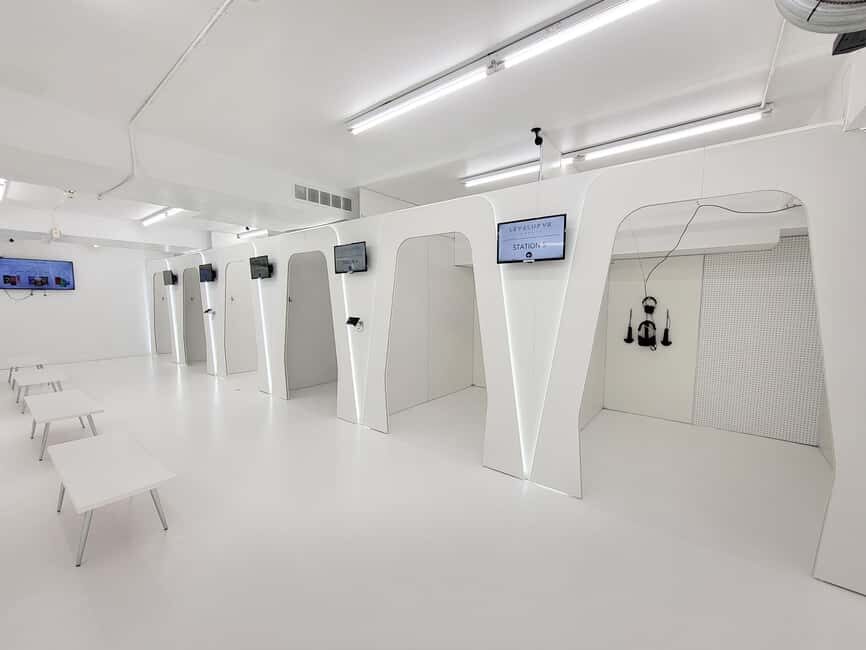
VR should be comfortable. Levelup Reality builds their session around that with training and sanitized equipment, but you still control your comfort level with a few choices.
Glasses: Most glasses fit inside the headset. If you have larger frames, they recommend contacts for better comfort. This matters because VR headsets sit close, and you don’t want pressure points during your 50 minutes.
What to wear: Bring comfortable clothes. You’ll be moving, turning, and reacting, so stiff outfits aren’t your friend.
Motion and health restrictions: This experience is not suitable for:
- people with motion sickness
- pregnant women
- people with heart problems
- wheelchair users
- people with visual impairments
If any of those apply, don’t “try anyway” as a hope-based gamble. VR motion can be a real trigger, and the rules are there for a reason.
Also, no alcohol or drugs are allowed. You’re there to play with your body and senses, and that’s not the time to dull them.





What’s Included for $37 (And How That Adds Up)
The price is $37 per person for a 1-hour session with 60+ game access. Your session includes:
- 50 minutes gameplay
- 10 minutes setup and safety training
- headset and controllers/equipment
- sanitized equipment for each participant
- staff assistance and recommendations during play
- all taxes and fees (HST included)
That “HST included” detail matters because it keeps the final cost clear. And the equipment part is a big value piece: you’re not renting devices, and you’re not bringing your own headset.
Not included:
- food and drinks
- event room rental (optional add-on for birthdays or groups)
- haptic suit upgrade (extra immersion, available at additional cost)
- transportation
Here’s how I’d think about value: if you only want one short activity and you want staff help, a fixed 1-hour session can be a fair deal. If your group plans to hang around for food anyway, the location near the Eaton Centre makes your “before or after” easy.
Who This Is Perfect For (And Who Might Feel Out of Place)
Levelup Reality is built for real group fun: families, friends, birthdays, and corporate team-building. That matches how VR often works best—everyone gets a turn, and you share the reactions.
It’s especially good if:
- you’ve got mixed interests (action + puzzle + sports choices)
- you want something interactive that doesn’t rely on everyone having the same gaming background
- you’re planning a birthday or team activity and want structure
Age rule: players must be at least 8 years old. If someone is under 12, they require guardian supervision. Also, a waiver is required for all participants under 18, signed by a parent or guardian.
If you’re bringing a kid, pay attention to the suitability rules. It’s not designed for children under 8, and VR motion comfort can vary fast by age.
Practical Tips for a Smooth Session
These are the small choices that keep your hour from getting messy.
- Arrive 5 minutes early so you don’t lose time to check-in and setup.
- Wear comfortable clothing—you’ll likely move more than you expect.
- Contacts can help if your glasses fit but feel tight.
- Plan for turn-taking since each station is for one player at a time.
- If you want extra physical immersion, ask about the haptic suit upgrade—it costs extra, but it’s available if your budget allows.
- Bring a “ready-to-choose” mindset. Staff can recommend games, but you’ll have the best experience if you know whether you want action, puzzles, sports, horror, or rhythm.
If you’re sensitive to motion effects, be honest with yourself. The rules say this isn’t for motion sickness, and I agree with that caution.
The Real Reason People Like It: Staff Help That Gets You Playing
One theme that really matters here is the staff’s role. A first-time VR experience can go two ways: you either get guided quickly or you get stuck troubleshooting.
This place is built to avoid the stuck part. VR guides handle training, give safety briefing, help you set up, and keep you pointed to games that fit your group. That means you spend more of your hour having fun and less time fiddling.
If you’re nervous before your first headset, this is the kind of environment where your confidence usually grows as soon as the setup clicks.
Should You Book Levelup Reality VR Arcade in Toronto?
Book this if you want a structured, one-hour VR experience in downtown Toronto with 60+ game choices and staff support that helps you jump in quickly. The $37 price feels fair for a setup + 50 minutes of gameplay, especially with taxes included and equipment provided.
Skip it if VR motion or comfort is a concern for you—motion sickness, heart issues, pregnancy, wheelchair use, and visual impairment are specifically called out as not suitable. Also, if you’re expecting a long lounge-style hangout, this is a tight 1-hour session, not a half-day VR marathon.
If you’re planning a family outing, a birthday, or a team activity and you want something interactive that most people can enjoy—even if they don’t share the same game tastes—Levelup Reality is a strong pick.
FAQ
What is the duration of the Levelup Reality VR Arcade experience?
The total session is 1 hour, including 10 minutes for setup and training and 50 minutes of gameplay.
What games can I play during the session?
You’ll have access to 60+ VR games across genres like action, adventure, horror, rhythm, sports, escape rooms, shooters, and more.
Where do I meet for the experience?
Meet at 661 Yonge Street, Toronto, and go to the lower level for the Levelup Reality sign near the Yonge & Bloor area by Canada Post.
Are glasses compatible with the VR headsets?
Most glasses fit inside the headset. For larger frames, contacts are recommended for better comfort.
Is the experience suitable for children?
Players must be at least 8 years old. Under 12 requires guardian supervision, and a waiver is required for participants under 18.
How many players can use a VR station at once?
Each VR station is for one player at a time, though some games can involve multiplayer depending on the experience.
What should I bring with me?
Bring comfortable clothes. There are no other specific items listed as required.
What is included in the $37 price?
Included are the headset and controllers/equipment, sanitized gear, the safety briefing and orientation, staff help during play, and a 1-hour session with taxes included.
What is not included?
Food and drinks are not included, and you may want extra options like an event room rental (optional) or a haptic suit upgrade (extra cost). Transportation is also not included.
What are the main restrictions for participating?
Pets are not allowed, and the experience does not allow intoxication or alcohol/drugs. It’s also not suitable for people with heart problems, motion sickness, pregnancy, wheelchair users, or visual impairments.